


By Aaron Tay, Head, Data Services
Not long ago, research started with a simple choice: a library database or Google Scholar. Today, you're faced with a dizzying array of AI-powered search engines, each promising to revolutionise your research. But they are not created equal. Using the wrong tool for your task can lead to incomplete results or wasted time.
So, how do you decide between Scopus AI, Perplexity, Scite.ai, and the rest?
The key is to stop looking for the "best" AI search engine and start asking what you need to accomplish. Based on your research task, here is a simple guide to help you pick the right tool for the job.
When You Need highest quality sources: Scopus AI (subscribed by SMU)
Your task is to find high-quality, peer-reviewed journal articles on a specific topic. You need to be confident that your sources are reputable.
In this case, Scopus AI is your best choice. It operates within the curated and respected Scopus database, giving you a level of control and precision that other tools can't match. It's the tool for targeted, in-depth literature reviews where source quality is paramount.
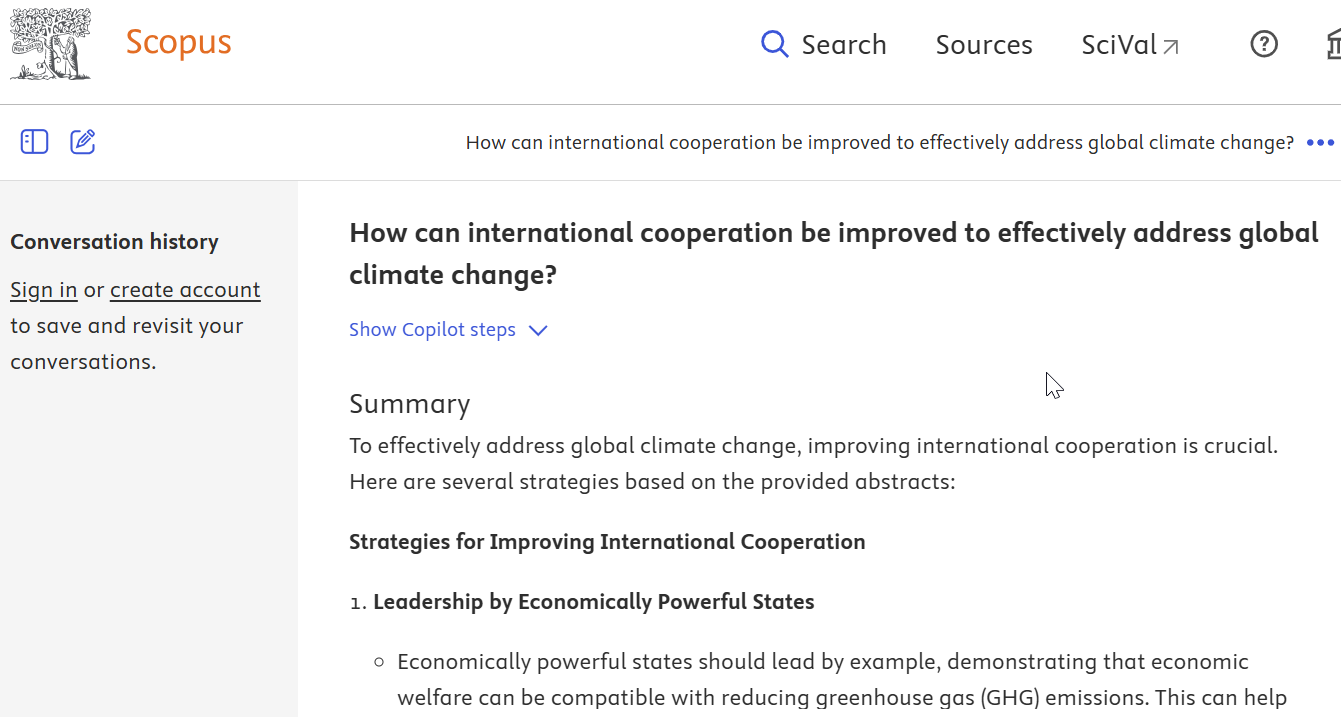
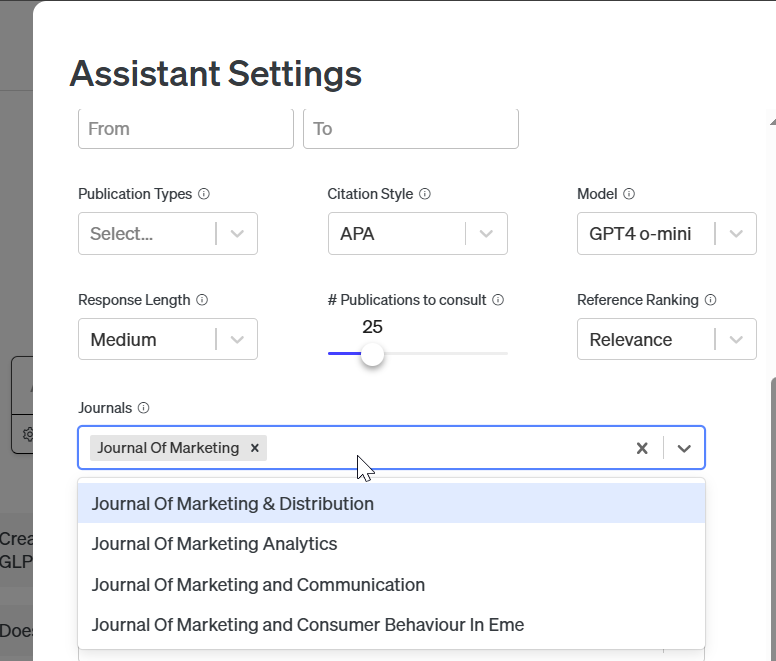
Note: With Scite.ai assistant, you can also use the settings to restrict results to specific journals. However, in my experience, if your search is too narrow such that scite assistant can't find many relevant results it may ignore the journal filter.
When You Need a Deep Synthesis (and Have Time) and don't find searching broadly: Undermind.ai
You have a complex research question and you are willing to wait for a truly high-quality result with high recall (most of the relevant papers are ranked high) and high precision (most of the top ranked results are relevant).
This is the perfect use case for Undermind.ai. While it may take several minutes to generate its results, due to it use of agentic search or deep research - it performs a much deeper analysis than other tools, delivering a comprehensive synthesis that can serve as a powerful starting point for your own writing.
Do note that unlike Scopus, Undermind's index is inclusive and draws from the Semantic Scholar corpus which means you will get not just peer reviewed articles (from journals of varying reputations) as well as preprints
See our 3 tips on using Undermind.ai from 2024.
Alternatives: Scite.ai assistant and SciSpace (normal mode) - also search roughly the same corpus as Undermind but return results quicker because they do not use agentic or deep search.
When You Need to Compare and Extract Data: Scite.ai Assistant (Subscribed by SMU) & SciSpace (available on request by faculty and PhD students).
You've found several papers and now you need to make sense of them. Your main goal is to extract key findings and compare them side-by-side.
If you need to generate a summary table from multiple papers automatically, turn to SciSpace and use it's new "table mode" in setting.
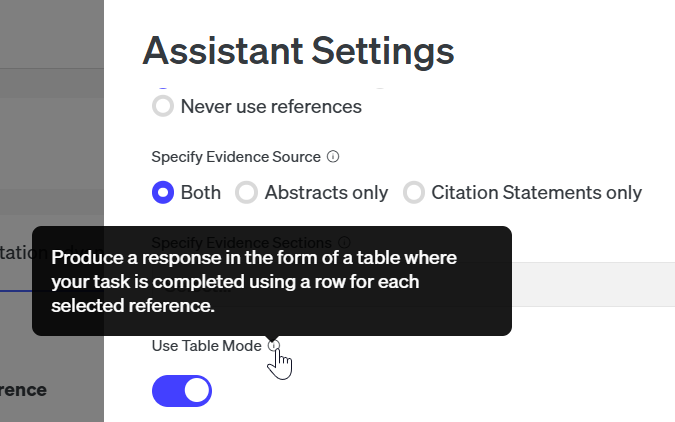
This creates structured table summaries that make literature reviews far more efficient.
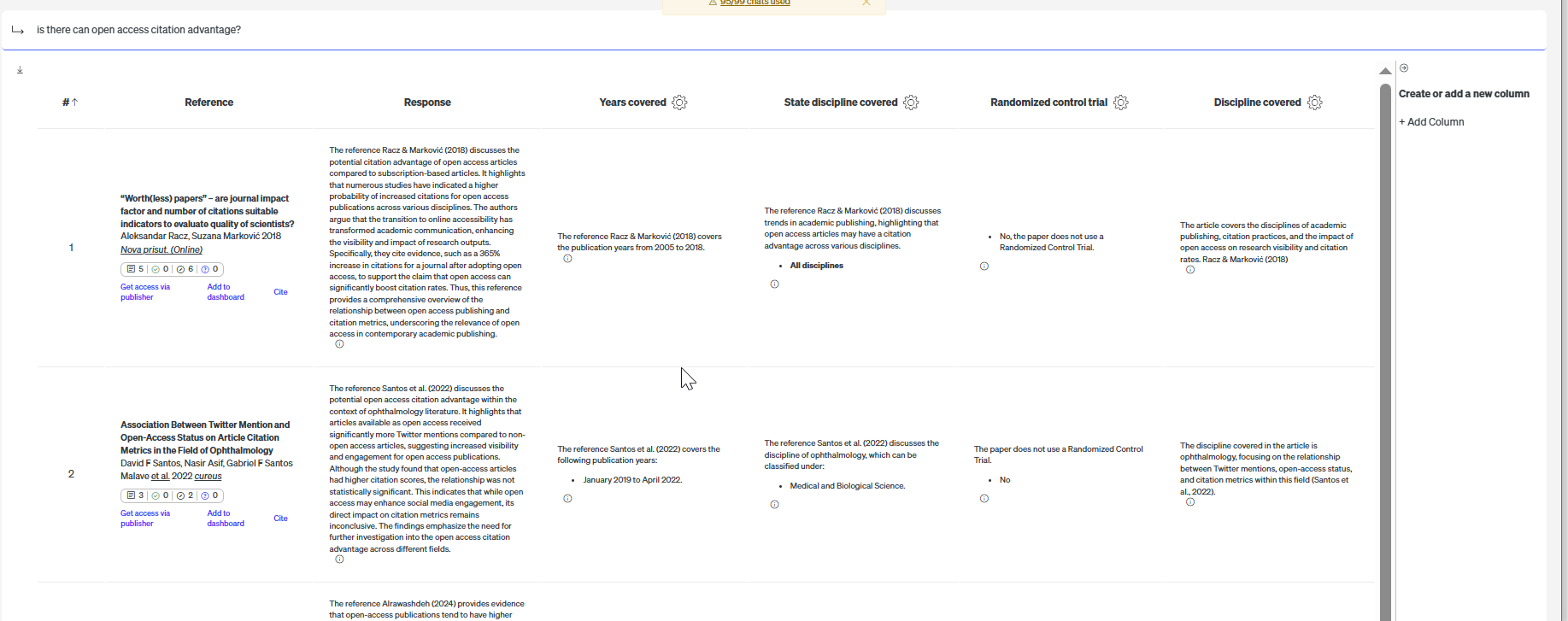
Similar to Scite.ai assistant is SciSpace (we have limited copies of the premium version) with a similar feature.
If you're more interested in the academic conversation and need to see if a paper's claims have been supported or contrasted by later research, use the Scite.ai assistant. It provides "smart citations" that give you context of the citation rather than just the fact that a citation made.
When You Need to go beyond articles : Primo Research Assistant (soon to be launched)
You're at the beginning of a project and need a wide range of materials. You're looking not just for journal articles, but also for books, magazines, and other academic resources that provide broader context.
Start with the library's Primo Research Assistant.
Primo is the default search for SMU Libraries and It's designed to be your one-stop shop for everything the SMU library has to offer.
Primo Research Assistant which is based on Primo will search over the same set of content (less exclusions and content owner opt outs) which means it can be useful for searching about more current events not covered by other AI search tools that cover only scholarly articles.
Note: As of time of writing - July 2025, Primo Research Assistant is still in testing.
When You Need search the web: Perplexity or Microsoft Copilot
Your question is even broader where you need to go beyond academic literature, and you need a quick overview synthesized from the general web. You want a conversational answer that draws from news sites, reports, and academic sources all at once.
Perplexity excels at this. It acts as a "conversational answer engine" that is perfect for brainstorming, understanding a topic from multiple angles, or when your search isn't limited to academic literature.
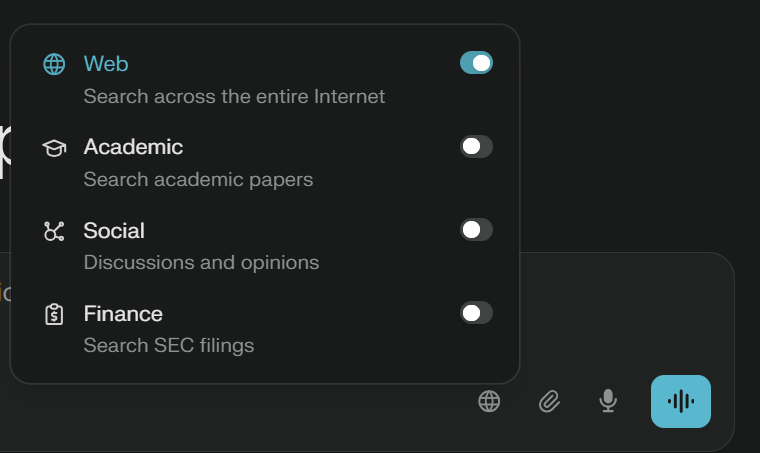
Perplexity's "Focus" feature allows users to narrow their search to specific content sources like web, academic papers, social media etc.
Conclusion
While the tools mentioned are somewhat similar in how they work, they differ in terms of the sources used. While this article provides some suggestions of what tools to shortlist for consideration, nothing beats a lot of testing for your particular use case. Or you might want to arrange a consultation with me to help with the selection.