


By Aaron Tay, Head, Data Services
TALL or Text Analysis for ALL is a new R Shiny app designed for doing text analysis tasks without the need for programming knowledge. This software is akin to the related software Biblioshiny (see our review here), which is also a R Shiny app except one designed to support Bibliometric analysis
Install and setting up
Similar to Biblioshiny, to run TALL, all you need to do is to load the R library and then run it. Of course, you will need to have R or R Studio already installed. (If you have problems getting it to run, we will be happy to assist).
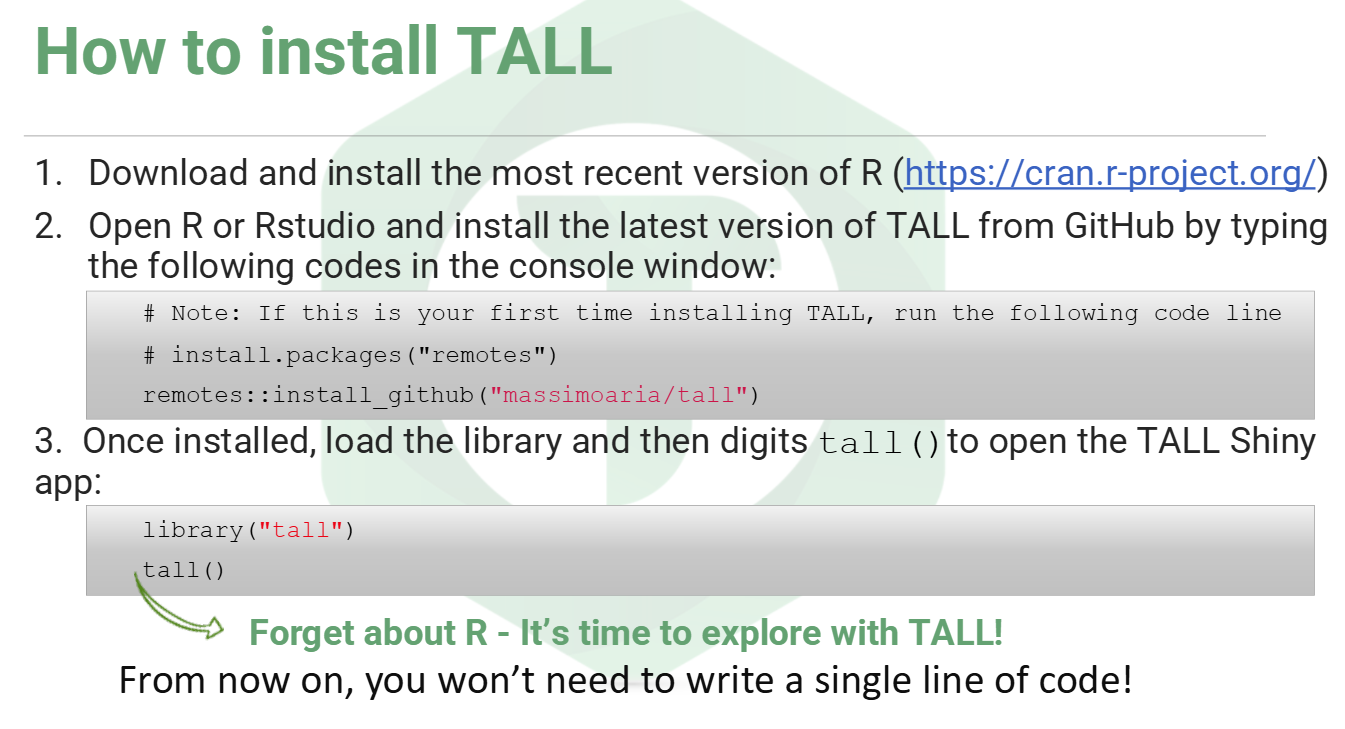
Once you have run the steps above, your web browser should open a new web interface
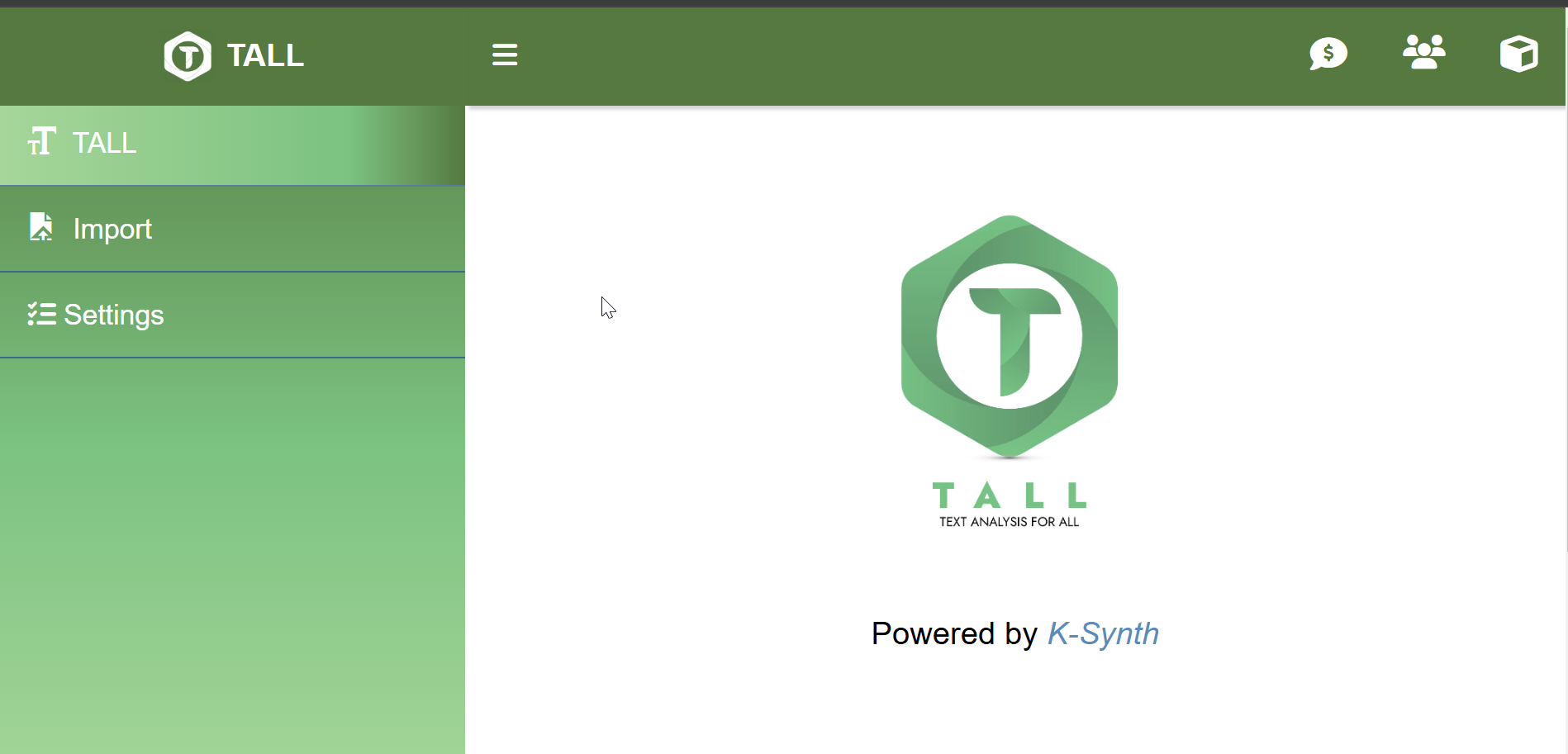
Even though the interface is a web interface running on your browser, this runs on a local host i.e. your local computer, so you do not actually need an internet connection to carry out any of the tasks (with some rare exceptions). In fact, if you are analysing private or sensitive data, you may want to turn off your internet connection while doing the analysis to confirm that everything is done locally on your computer.
Loading content into TALL
TALL allows you to upload files in txt, csv, xls and pdf formats. If you are uploading CSV or XLS, you have to rename the column header 'text' (without quotes) for the text column you are analysing.
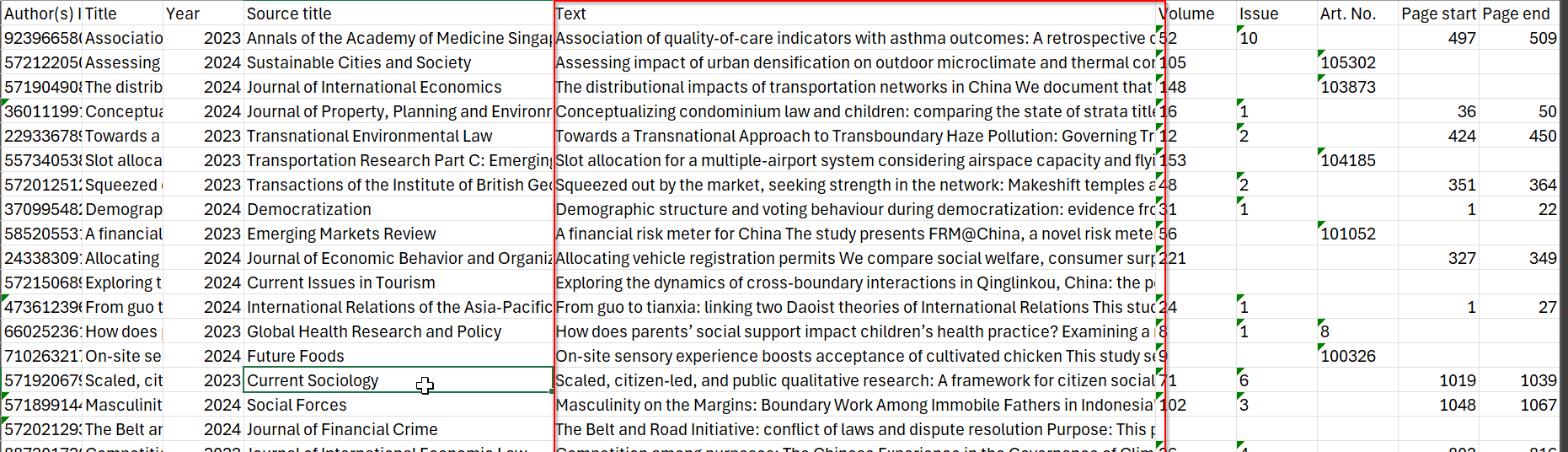
In the example above, I have a XLS of bibliographic metadata for a set of journal articles. By renaming the header column of abstracts to 'text'. TALL will know that I want to analyse the text in cells in these columns (each cell is considered a separate document).
A typical scenario is when analysing questionnaires -- picking the column that is the free text column field.
Note, you cannot analyse two columns, e.g., title and abstract columns, together, by renaming two columns 'text'. If you want to do so, you have to merge the text columns yourself first.
As such, in this feature, it compares unfavourably with the older and popular text analysis tool Voyant, which allows you to analyse multiple columns by naming the column names e.g., 3+4 -- 3rd and 4th column counting from the left (see below).
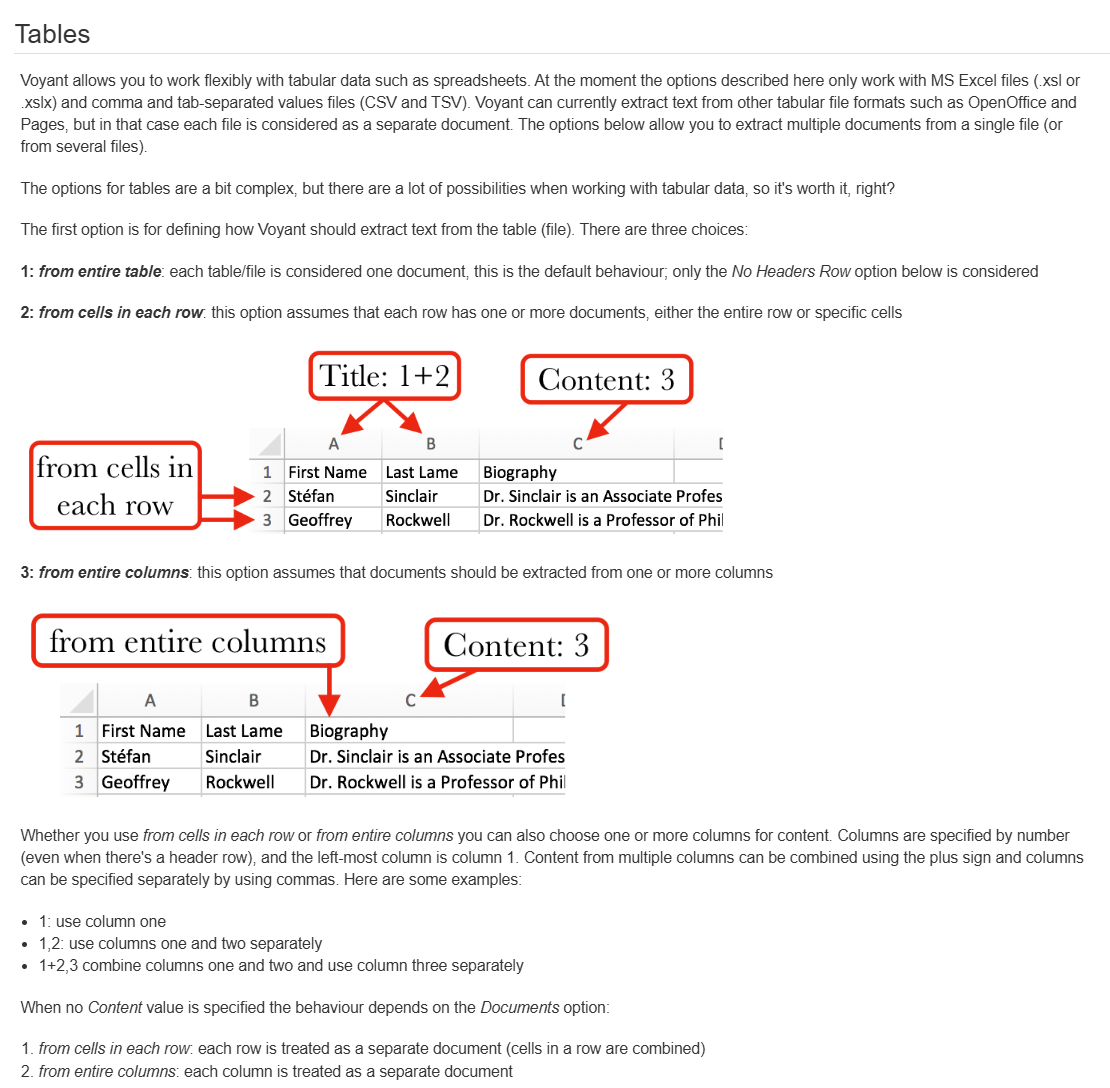
That said, the multiple options allowed by Voyant, from analysing all text in one column (as one document) vs each text in the column as a separate column and naming conventions for the document can be very confusing.
Besides importing text directly, you can use one of the three sample corpora or extract text from Wikipedia pages.
TALL's preprocessing stage involves Tokenisation, Lemmatisation and PoS (part-of-speech) analysis using pre-trained language models from Universal Dependencies (UD). TALL supports over 100 languages, however, if this is the first time you are doing the analysis, you will need to download the model. This is one of the few places you need an internet connection.
Once this is done, you will see an "annotated text table", listing tokens, Lemma and Part-of-Speech extracted from your text corpus.
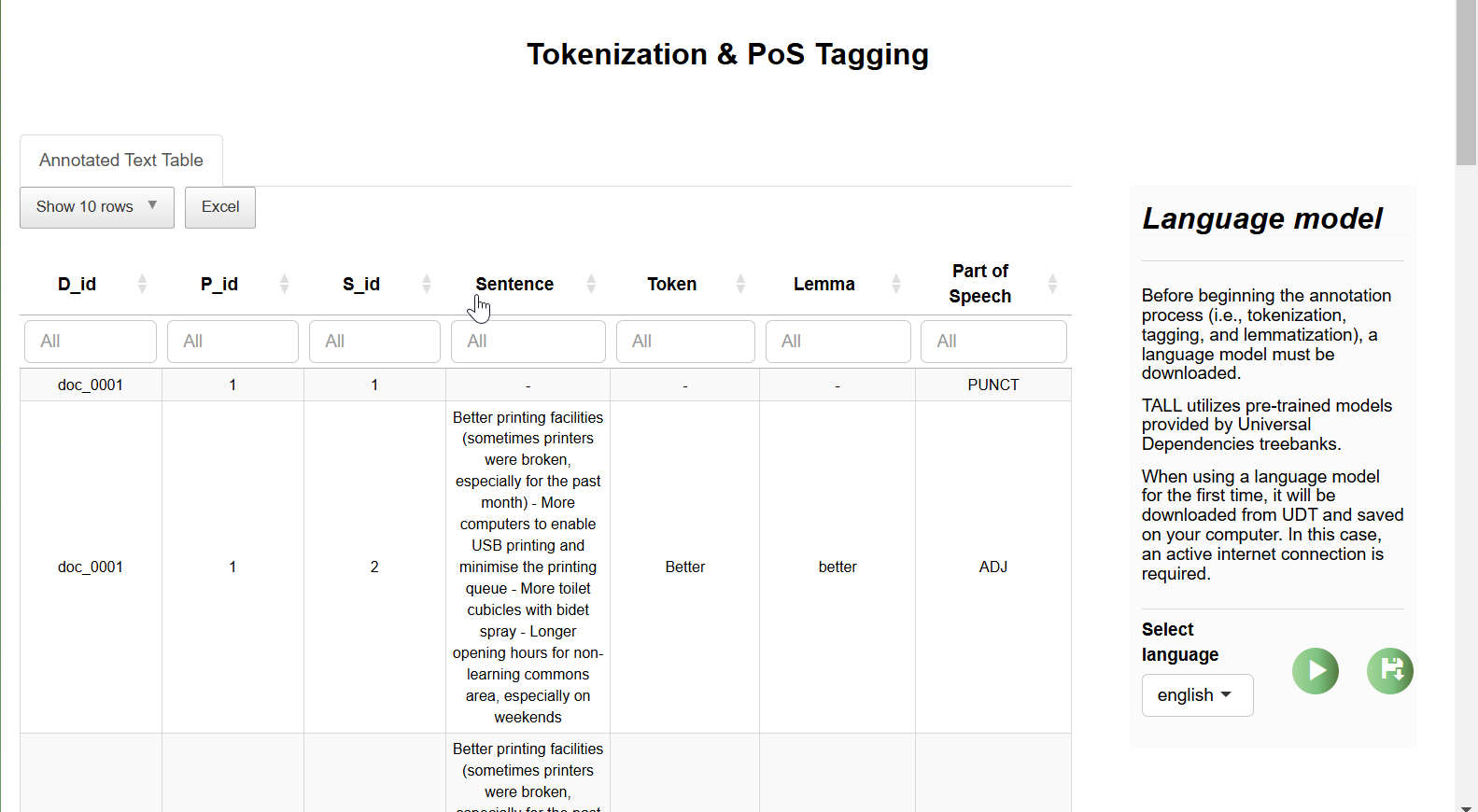
D_id , P_id, S_id refers to document ID, paragraph ID and Sentence ID respectively.
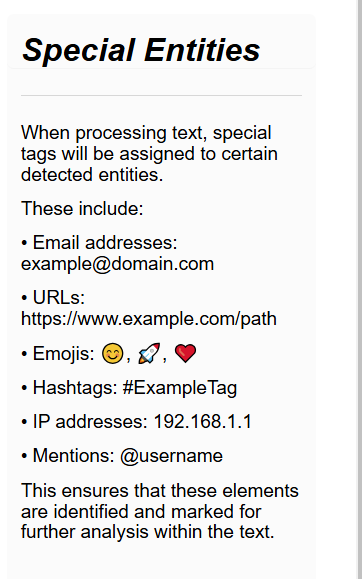
The next step involves detecting special entities like URLs, emoticons, Hashtags, mentions and IP addresses.
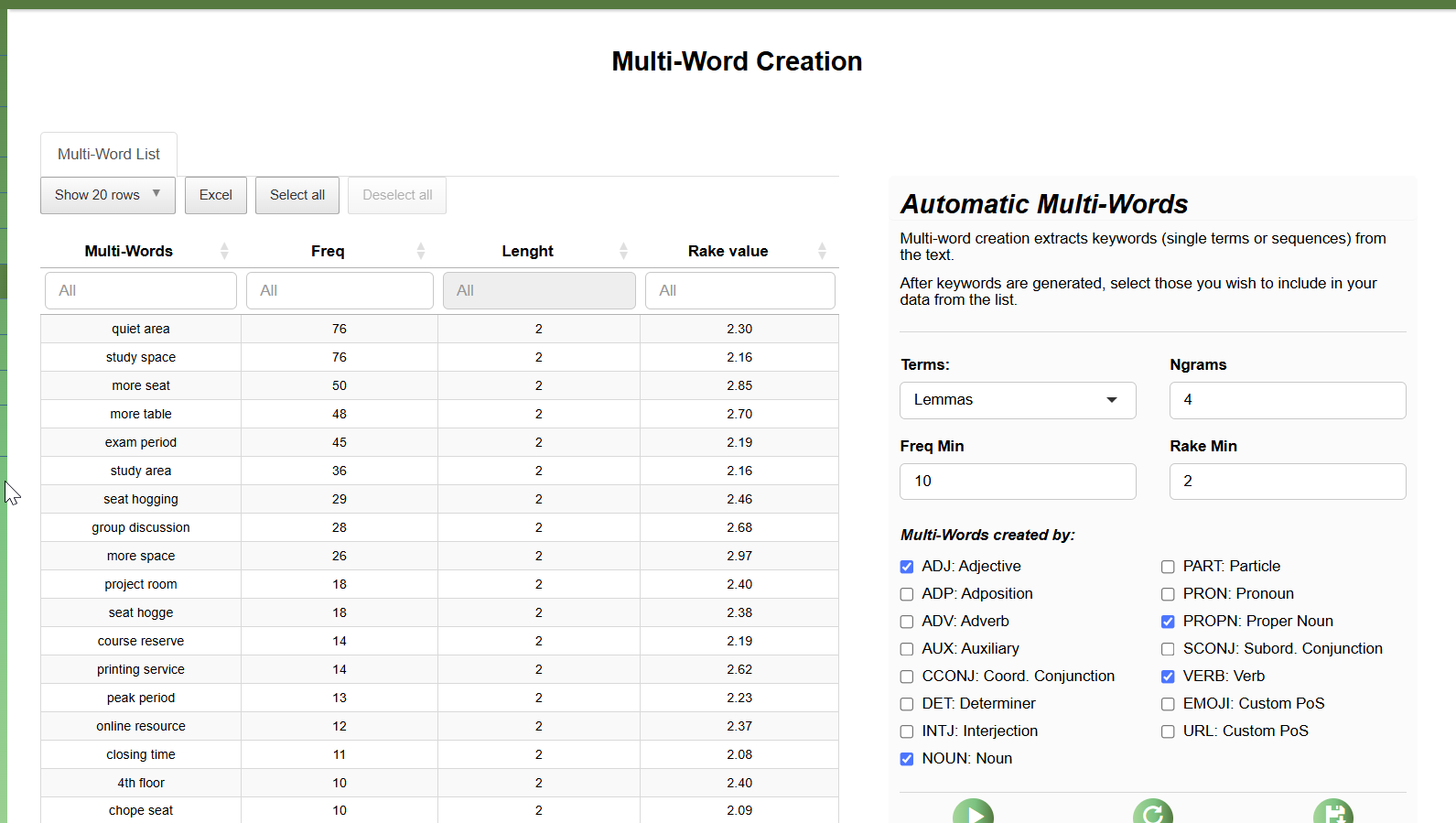
And finally, you can use algorithm to select multiple-word phrases from part-of-speech using the RAKE (Rapid Keyword Extraction) algorithm.
Filtering & Grouping
The final steps before the analysis are filtering and grouping steps. For example, if I am working on a survey questionnaire and the CSV or Excel uploaded as a column of data that identifies the major area of focus of the respondent, you can choose to filter to one of these areas only. In the example above, I am filtering to only analyse responses where the the respondent has selected "Economics".
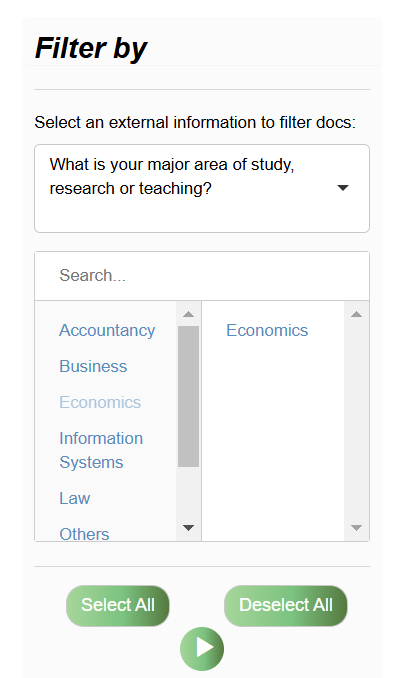
On top of filtering, you can also do grouping which is optional as well. It works the same way, where you group results by one variable in your dataset.
Analysis functions in TALL
Besides an overview function, TALL divides all analytic functions into "Word" and "Document level analysis.
Word level analysis in TALL
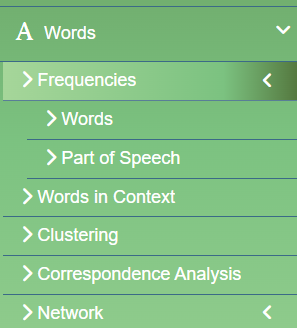
TALL allows analysis of words in multiple ways, from frequency analysis for words and Part of Speech, looking for words in Context, Clustering, Correspondence Analysis and Co-Word analysis via Network analysis which is similar to the same analysis you can get in science mapping tools like VOSviewer.
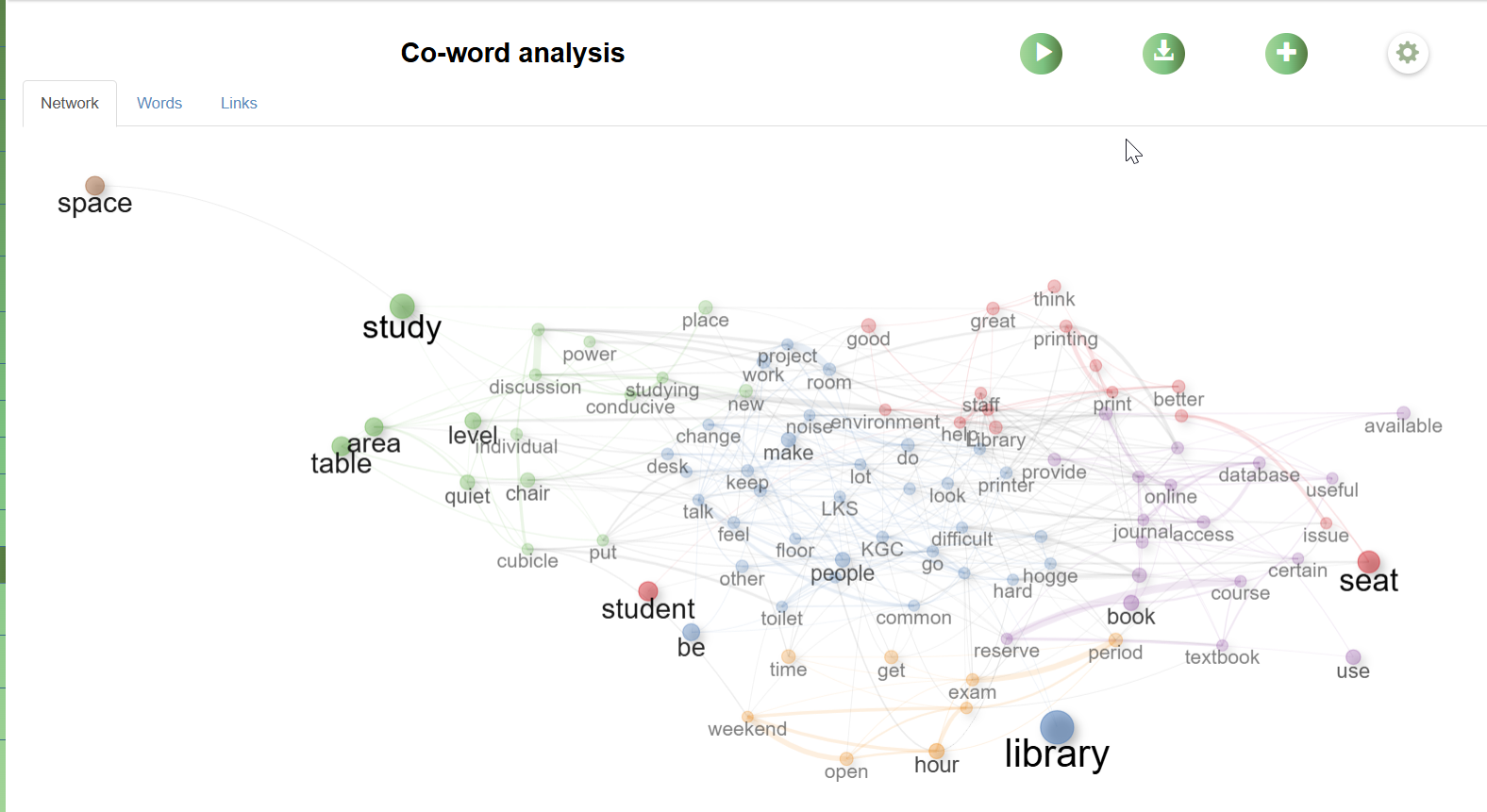
Document level analysis in TALL
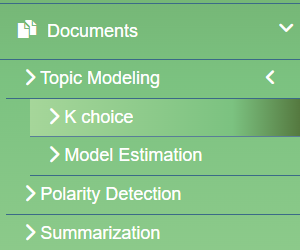
Document level analysis in TALL consists of:
- Topic Modelling
- Polarisation Detection (or sentiment analysis)
- Summarisation (extractive summarisation that extracts key sentences that are top ranked using the TextRank algorithm).
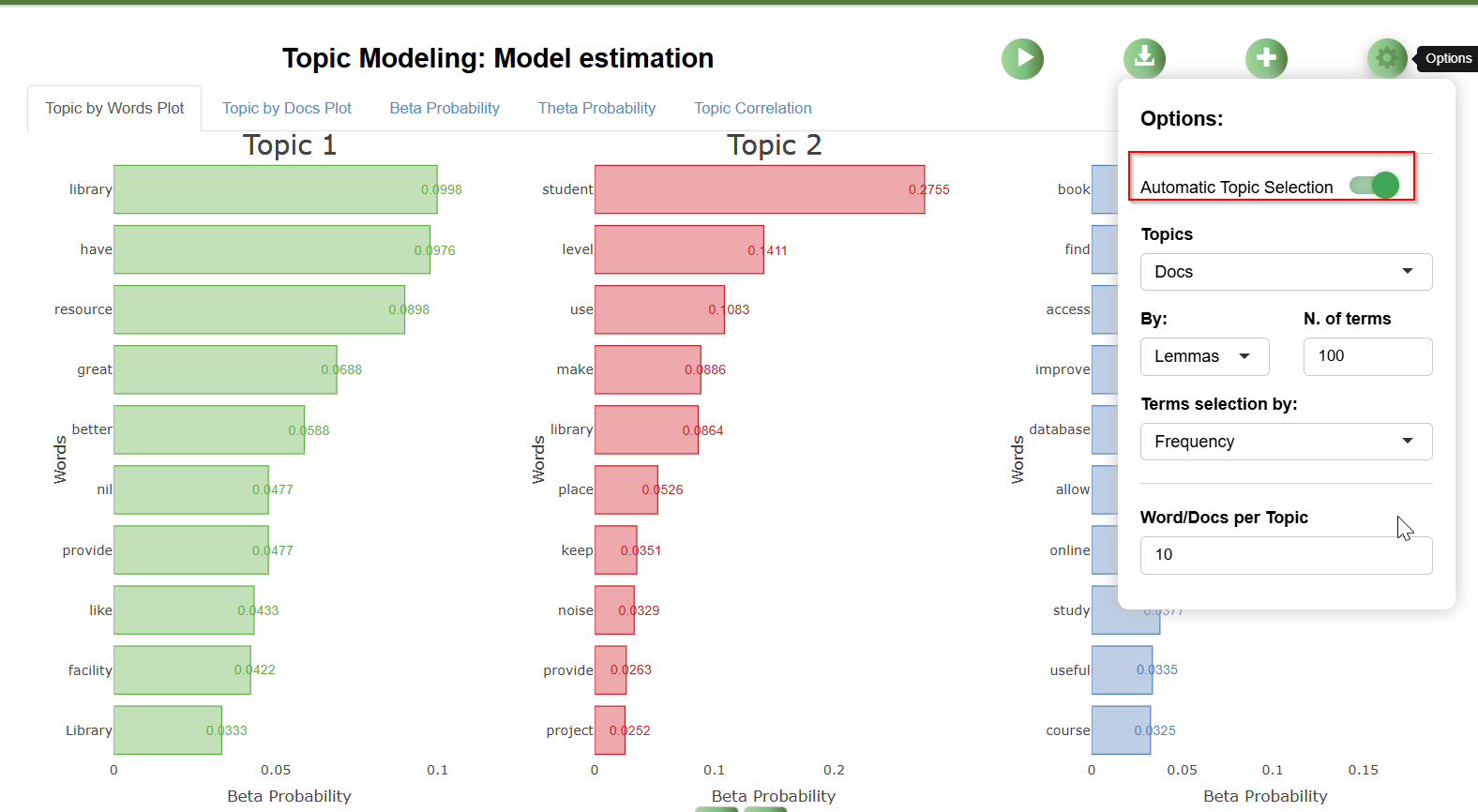
Topic Modelling in TALL is using Latent Dirichlet Allocation (LDA). In TALL, the system offers a K Choice feature that helps you decide on the optimal number of topics to use for the Topic Model (this can be ignored by turning off the "Automatic Topic Selection" options.
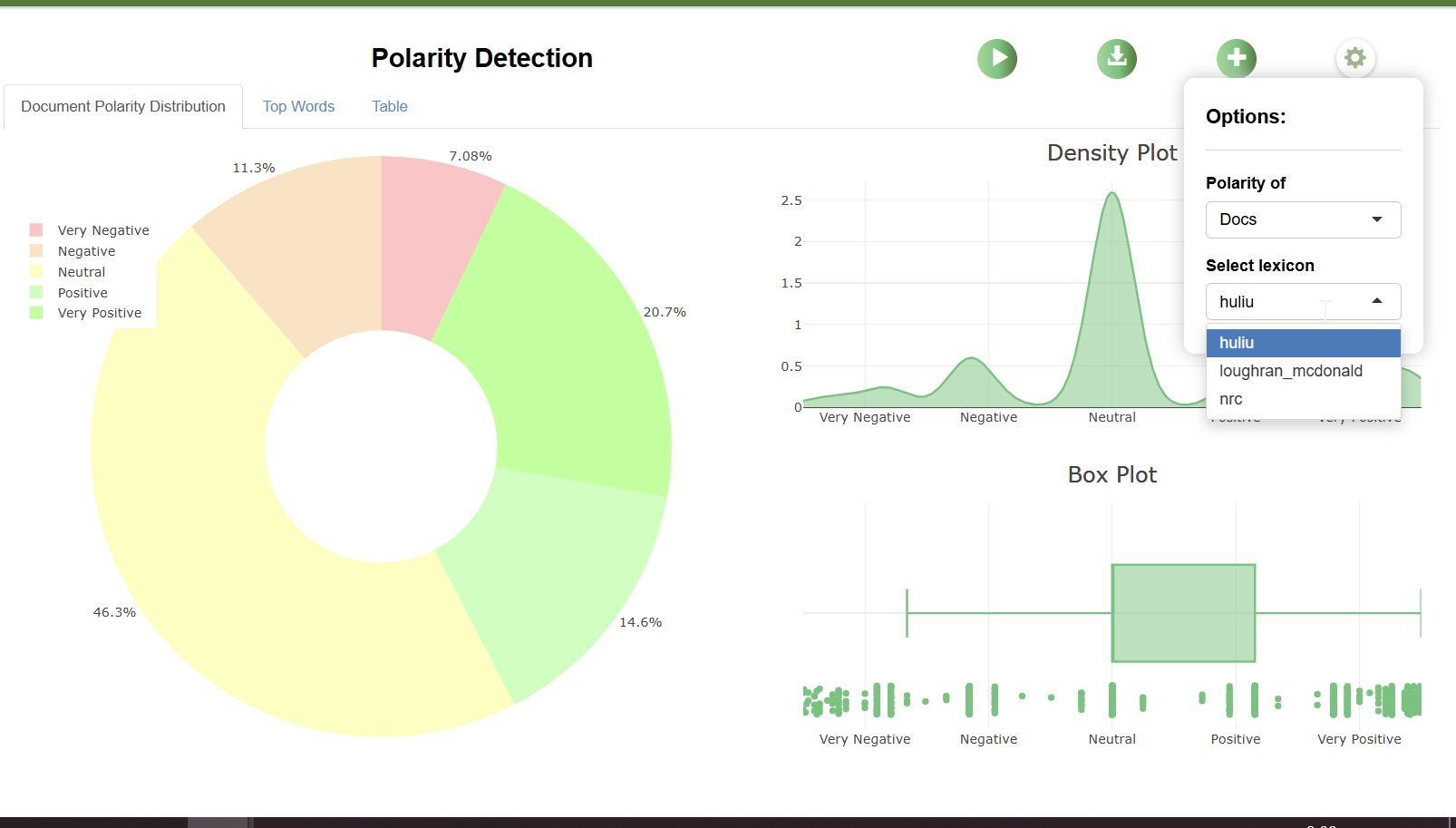
Polarisation detection or sentiment analysis is dictionary based. The three dictionaries that can be used by default are:
- Hu and Liu (2004) - Opinion Lexicon
- Loughran and McDonald (2016) - Financial Sentiment Dictionary
- NRC Emotion Lexicon (Mohammad and Turney, 2010)
The first is best suited for analysing product reviews from e-commerce platforms. The second is designed for use in accounting and finance contexts, such as annual reports, while the last focuses on capturing emotions and can be used for social media posts, among others.
Conclusion
TALL is an easy-to-use, no-code text visualisation tool. That said, while using this tool requires no coding knowledge, you will need to be familiar with NLP (Natural Language Processing) terms such as tokens, lemma, part-of-speech, and techniques like LDA, correspondence analysis, co-word analysis, topic modelling, and more to make sense of the various analyses.
Also, most of the implemented algorithms are related to "bag-of-words" and, while they are quick, they may not be as effective as more modern approaches using transformer-based models like BERT embeddings.