

By Aaron Tay, Head, Data Services
SMU Libraries first took out an institutional subscription to Undermind.ai in November 2024. Made available to our postgraduates, research staff, faculty, and staff, Undermind.ai has quickly become one of our most popular premium deep AI literature review tools, impressing researchers with its deep and accurate retrieval capabilities and highly reliable reports. Every month, over 100 active users log in and search using Undermind.
Since subscribing, Undermind has added features such as "Ask an Expert" — an option to ask further questions based on papers found — as well as email alerts for new relevant papers. However, the platform's core workflow has remained largely the same — until now.
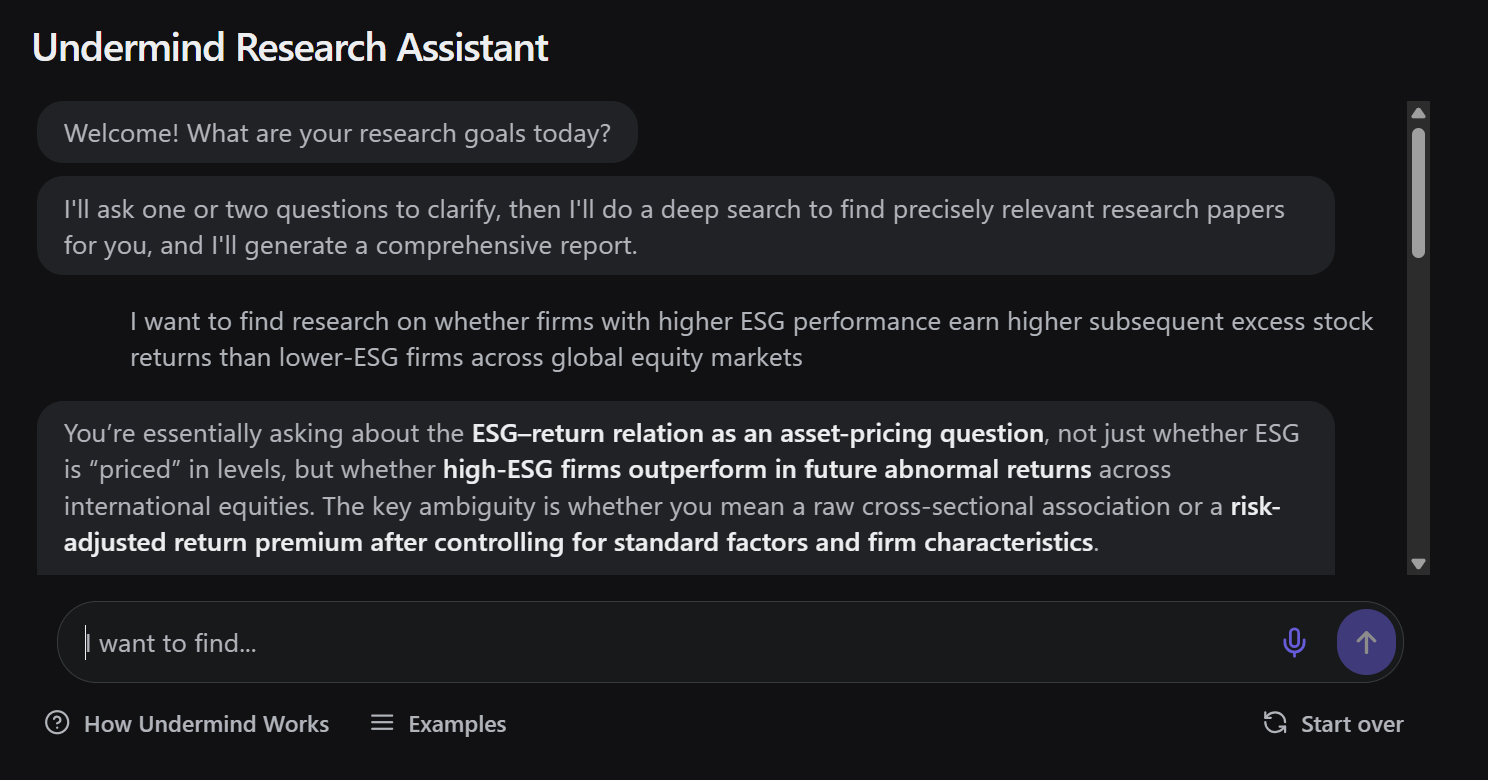
You type in your query, you are asked to clarify it, Undermind goes off to do a deep search for around 8–10 minutes, and you receive a report.
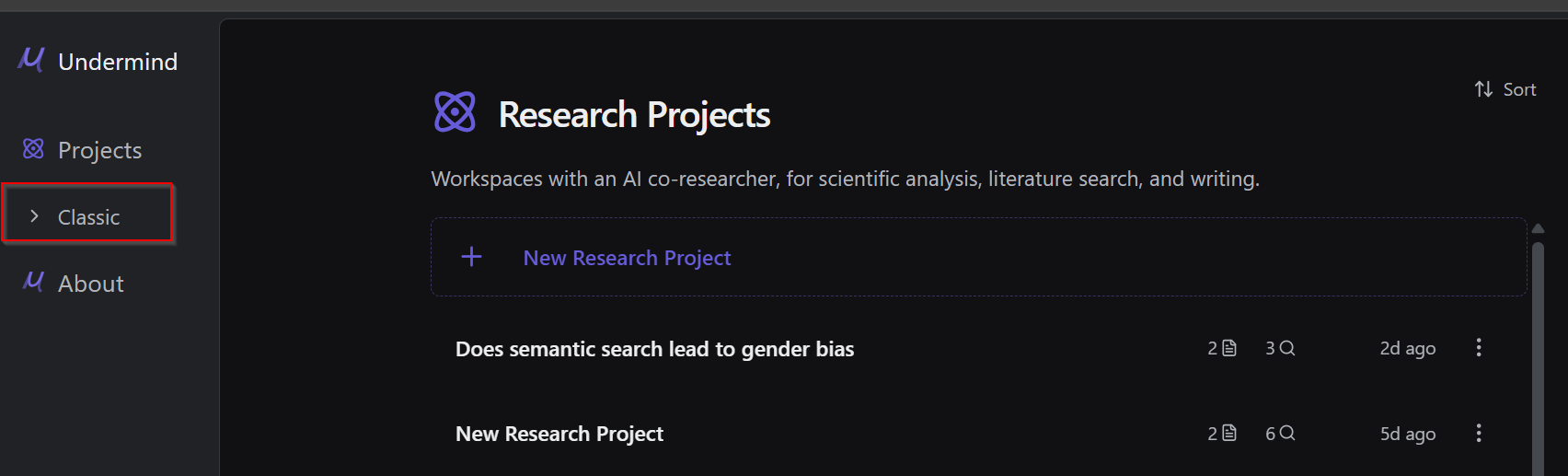
Once you log in to Undermind.ai with your account (no account yet? Register with your SMU email), you are automatically directed to the new Undermind Projects interface.
Prefer the original Undermind?
It is important to note that the original Undermind is still currently available at the time of writing, now renamed "Classic". You can switch back to it at any time by clicking the sidebar option on the left.
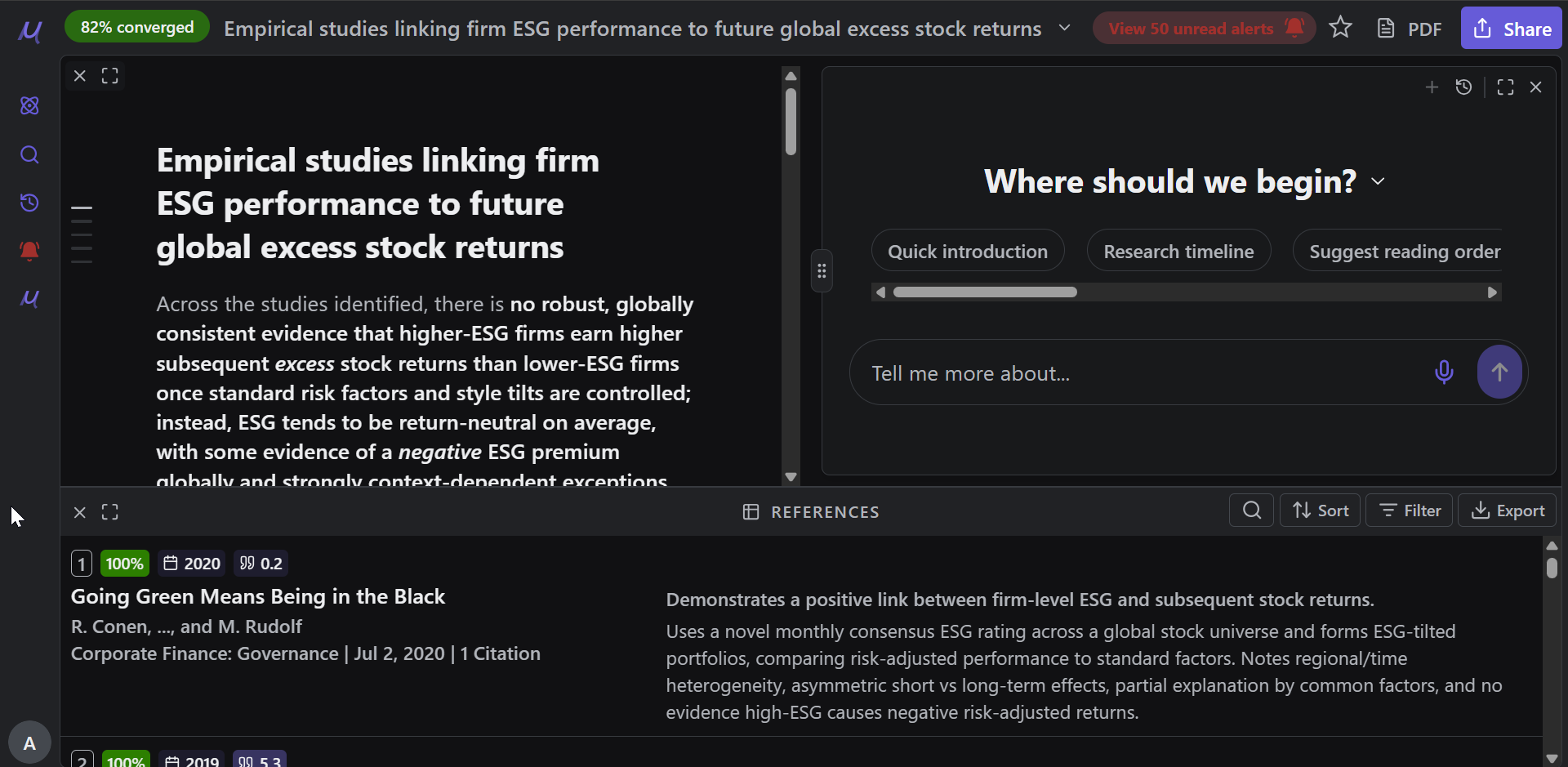
Undermind.ai becomes more agentic
Undermind.ai is well known as an academic deep research tool, with iterative "deep" searching that takes several minutes to complete. However, the classic version always follows a fixed workflow or pipeline:
- Ask to clarify your question
- Iterate on the query (where it is somewhat agentic)
- Generate a report
A more agentic system might be able to adapt and devise different steps based on available tools/functionality.
A more fully agentic system is able to adapt and devise different steps based on available tools and functionality. For example, such a system could run two different queries in adjacent areas and then compare them to identify papers common to both result sets. If you try such a query in Undermind Classic, it may claim to be capable of doing so, but will generally fall short in execution.
Undermind Projects moves meaningfully in this direction.
The three agents in Undermind projects
Undermind Projects offers three different agents that can be used together throughout the literature review process: the Search Architect, the Report Writer, and the Generalist.
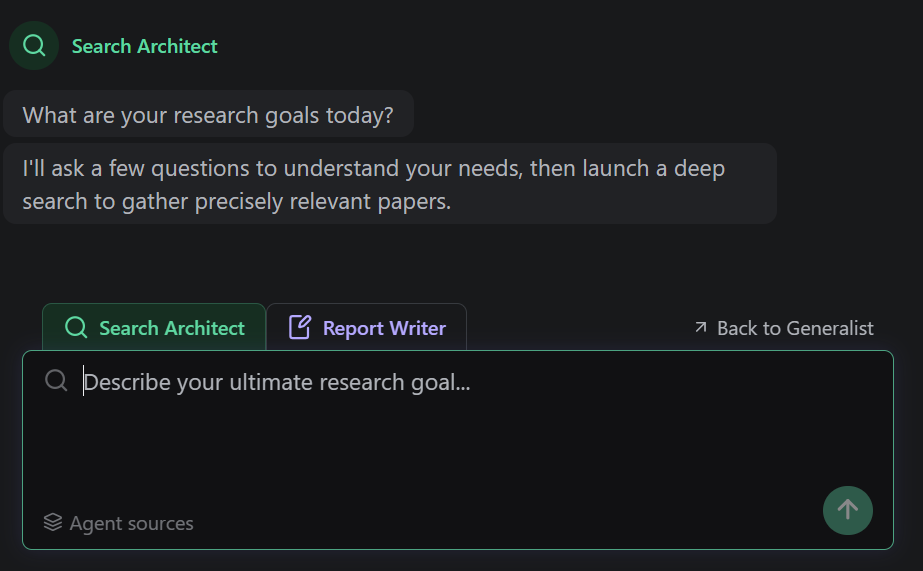
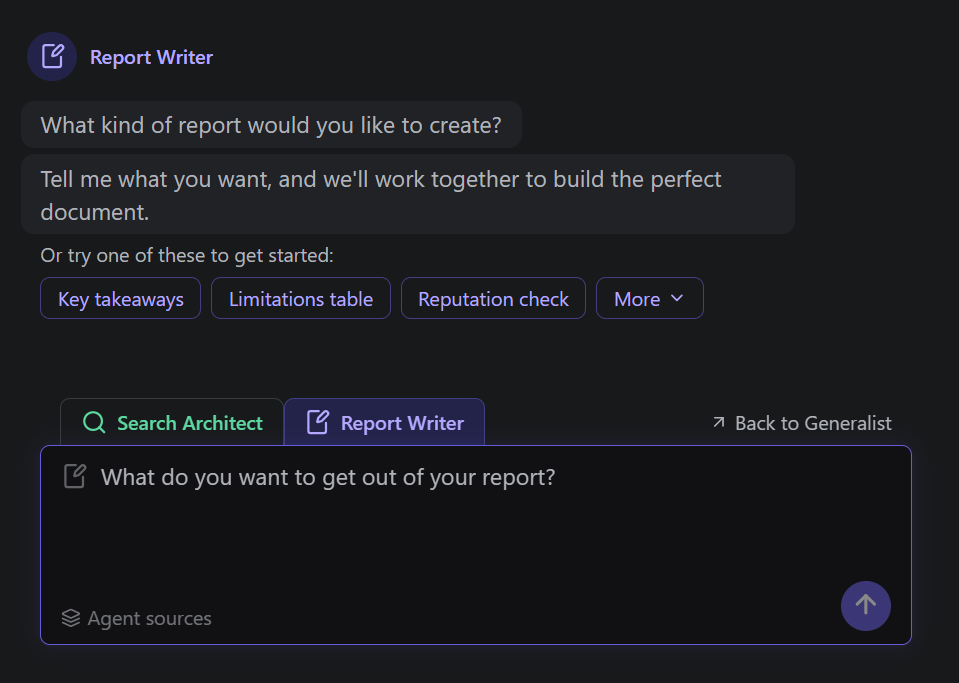
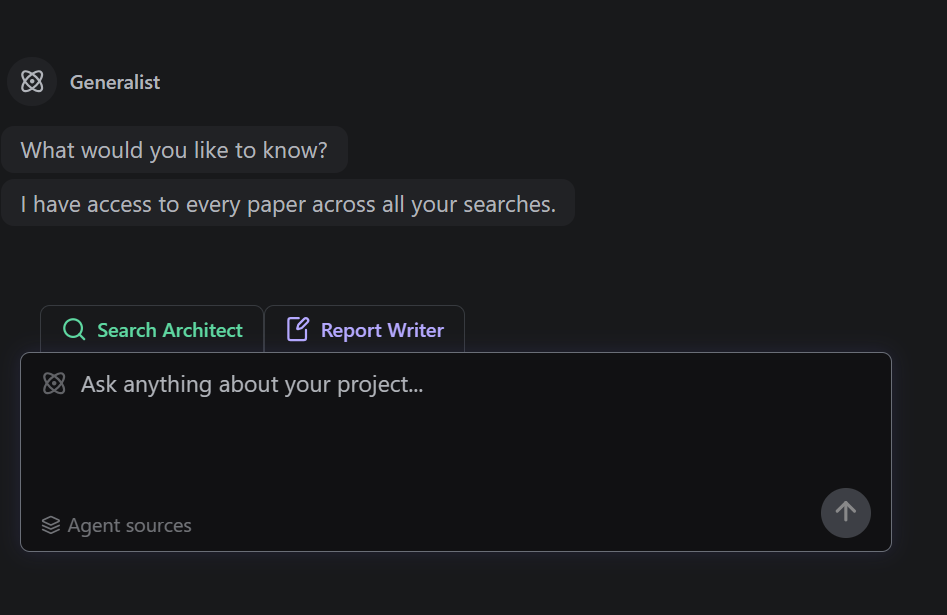
Unlike Undermind Classic, which searches once and produces a single report, Undermind Projects creates a persistent workspace where you can run the different agents multiple times according to your needs. Here are six tips for using Undermind Projects effectively.
Tips for getting the most out of Undermind Projects
Tip #1 — Break down a large topic into smaller sub-topics
Undermind is one of the best academic search tools available, but it works best when the scope of your research question is focused rather than broad. For example, asking about the impact of LLMs on systematic reviews in general is unlikely to yield comprehensive results, because LLMs are being applied across many different phases of systematic review — each with a substantial body of literature.
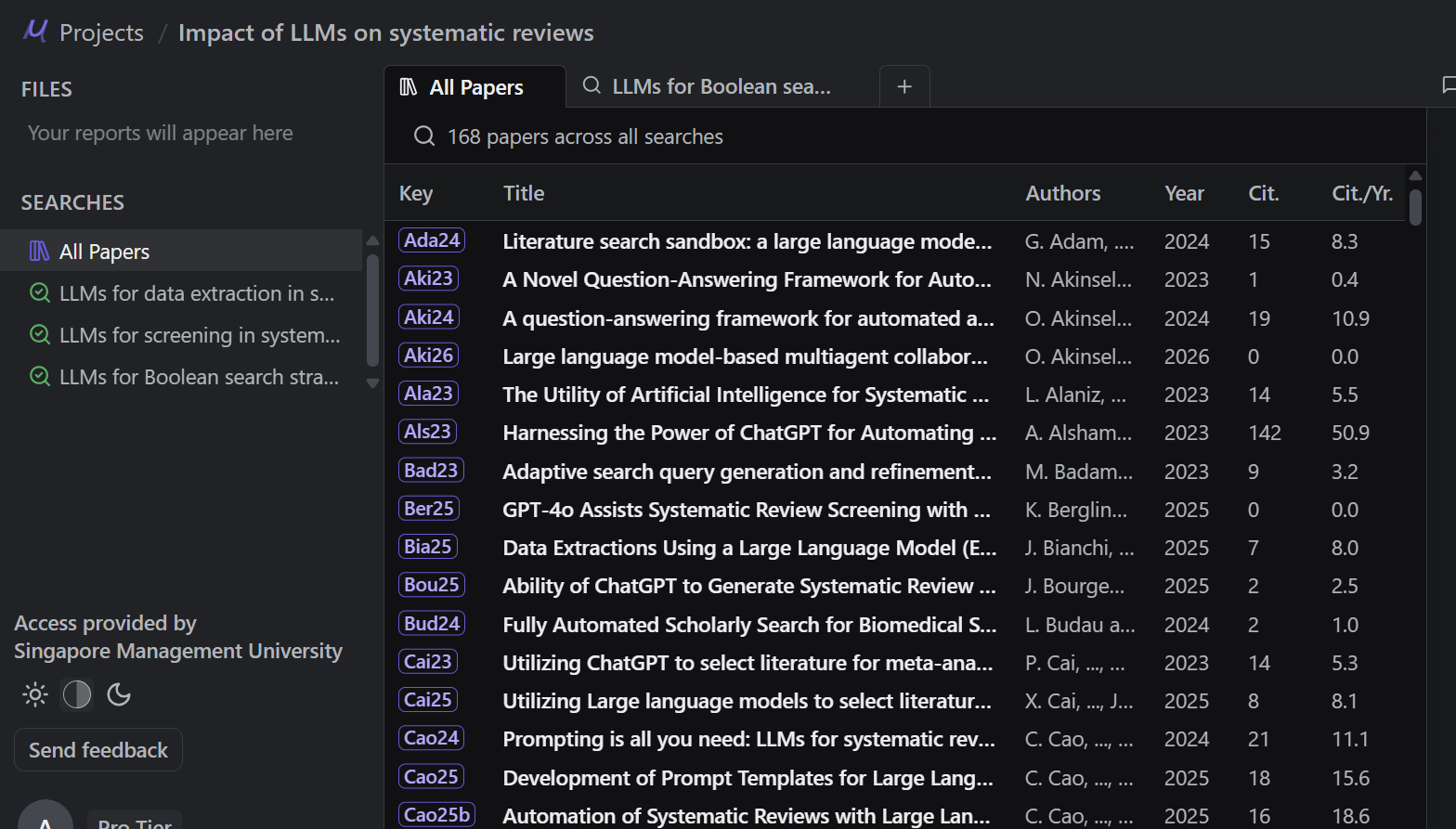
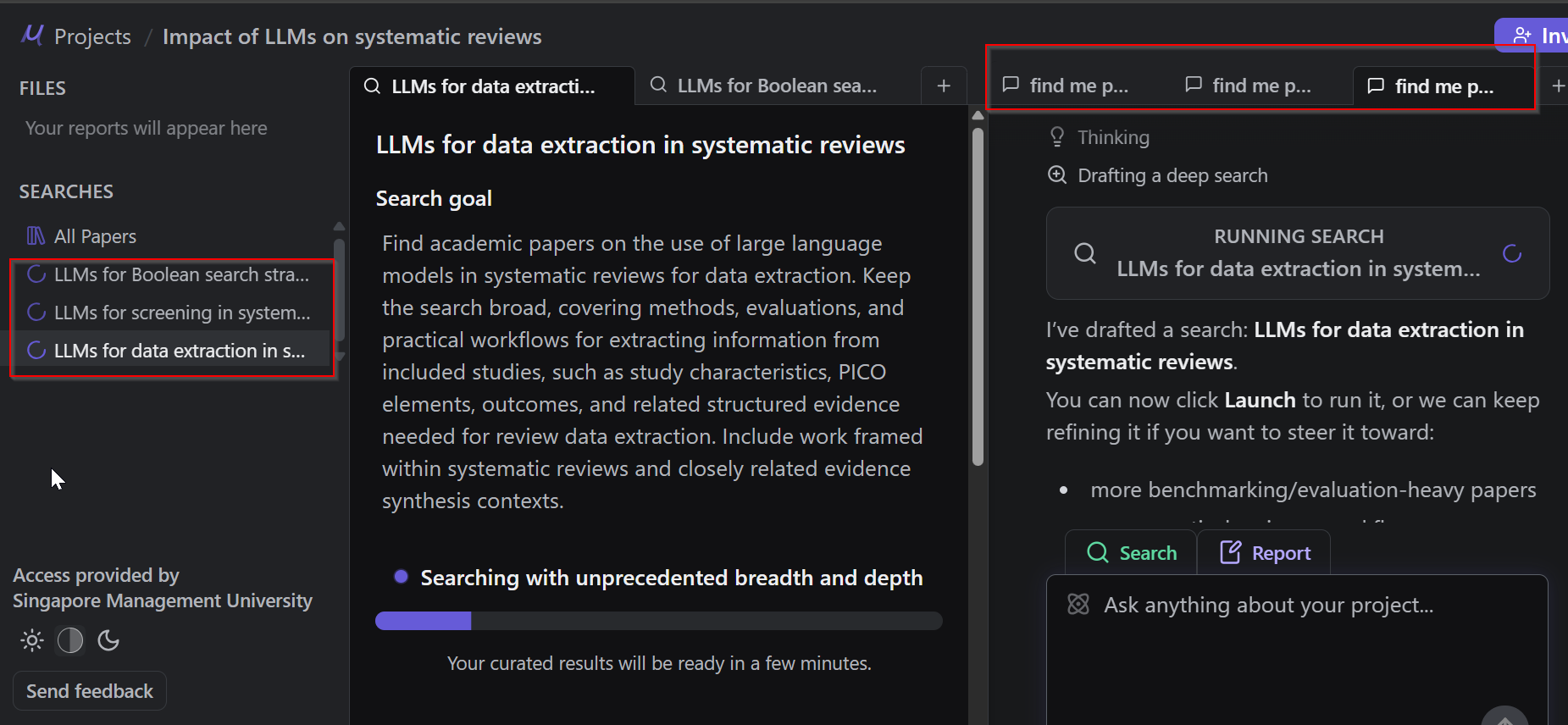
With Undermind Projects, you can run the Search Architect multiple times, each time targeting a different sub-question. For instance:
- Find papers on the use of LLMs in systematic reviews for construction of Boolean search strategies
- Find papers on the use of LLMs in systematic reviews for construction of Boolean search strategies
- Find papers on LLMs used for data extraction
- Find papers on LLMs used for critical appraisal
All papers found across these multiple searches are automatically combined and deduplicated into a unified library, which you can then use as the basis for generating reports.
Tip #2 — Run up to three agents concurrently
When you input a query into the Search Architect, as with Classic Undermind, it will first ask clarifying questions to confirm exactly what you are looking for. Once done, you can launch the deep search.
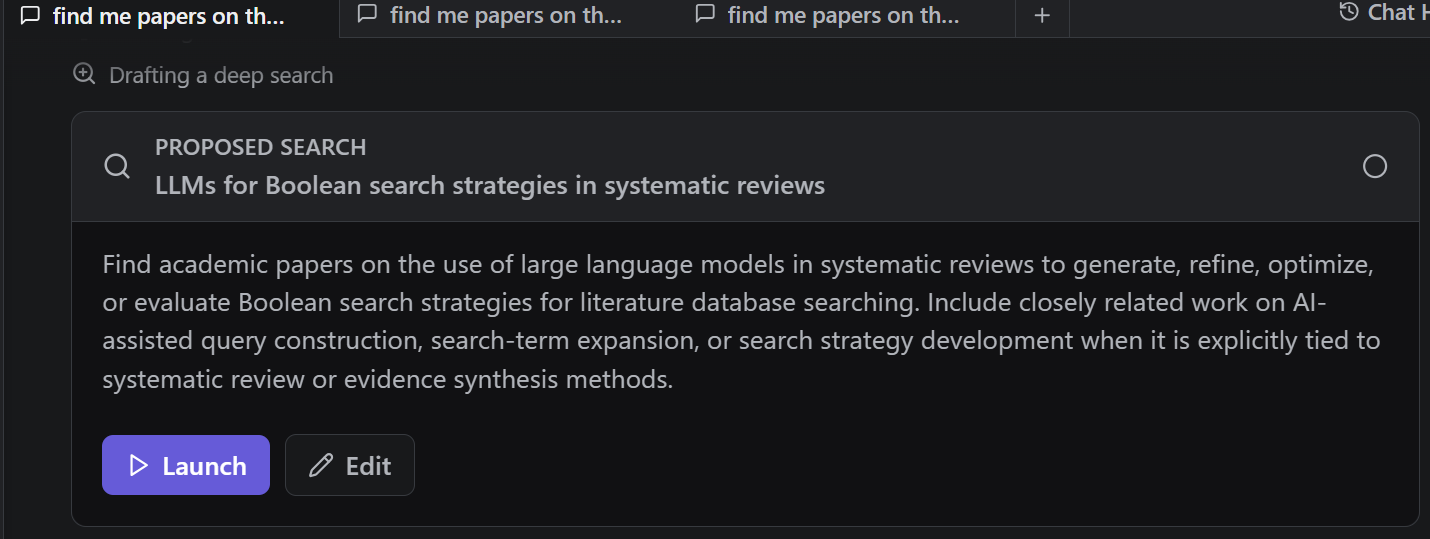
This takes a few minutes — but with Undermind Projects, you do not have to wait. Open another tab and immediately launch a second Search Architect with a different sub-question. Once that is running, repeat with a third. You are limited to a maximum of three agents running simultaneously, so use that capacity strategically.
Tip #3 — Bypass clarification questions when generating reports using the generalist agent
It seems logical to use the Report Writer when generating reports, and indeed it provides a range of useful built-in prompts to get you started.
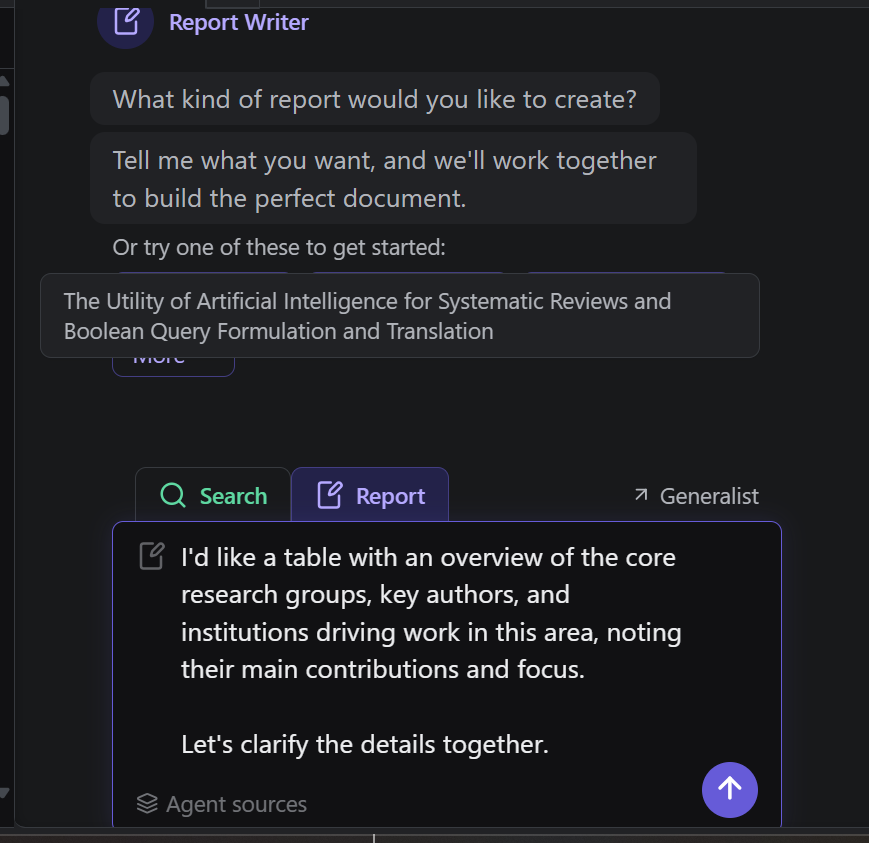
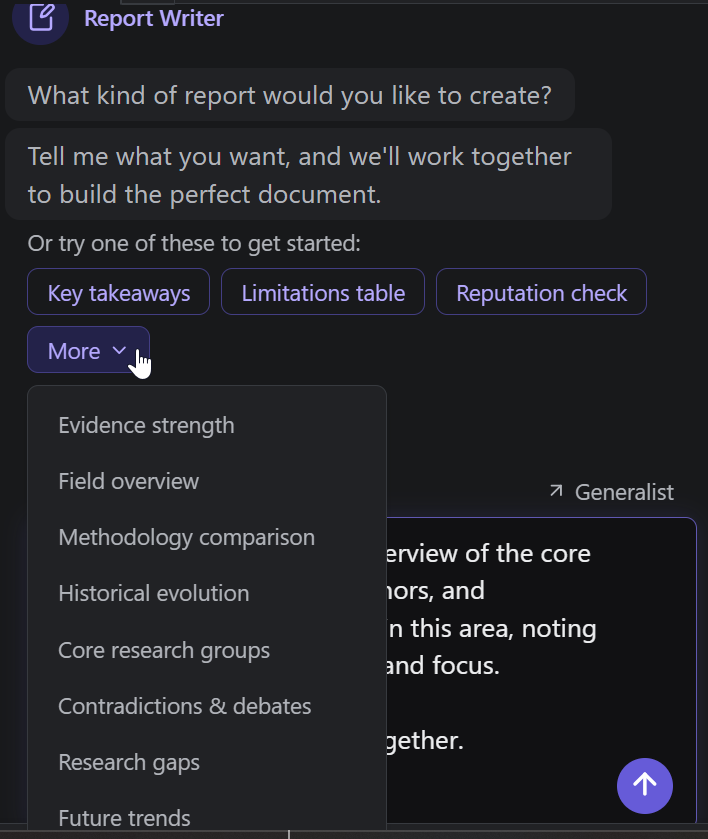
However, like the Search Architect, the Report Writer is predisposed to ask clarifying questions before proceeding , which can be frustrating if you have already written a thorough prompt specifying exactly what you want in the report.
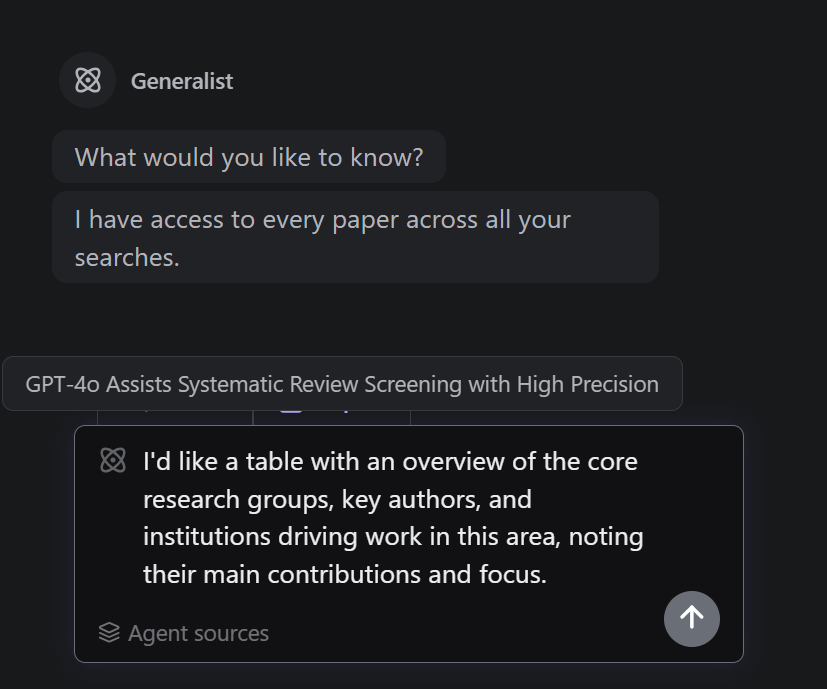
An advanced tip: paste your prompt directly into the Generalist agent instead. The Generalist will almost always proceed without asking for clarifications, saving you time and allowing for faster iteration.
Tip #4 — All agents can access the abstract or full text of papers by paper key id
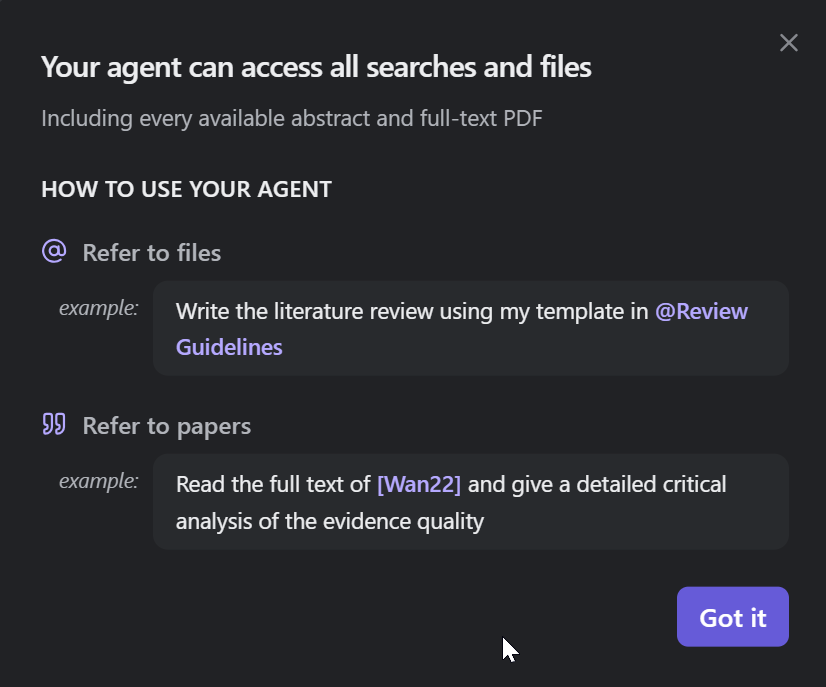
All three agents can reference the abstract or full text (where available) of any paper in your library, identified by its assigned Paper Key ID. This opens up powerful workflows — for example, you can ask an agent to generate a report drawing only on specific papers, or anchor a new search around a key paper you have already identified:
e.g. find me papers similar to [Wan22]
Tip #5 — When generating reports, reference existing report templates
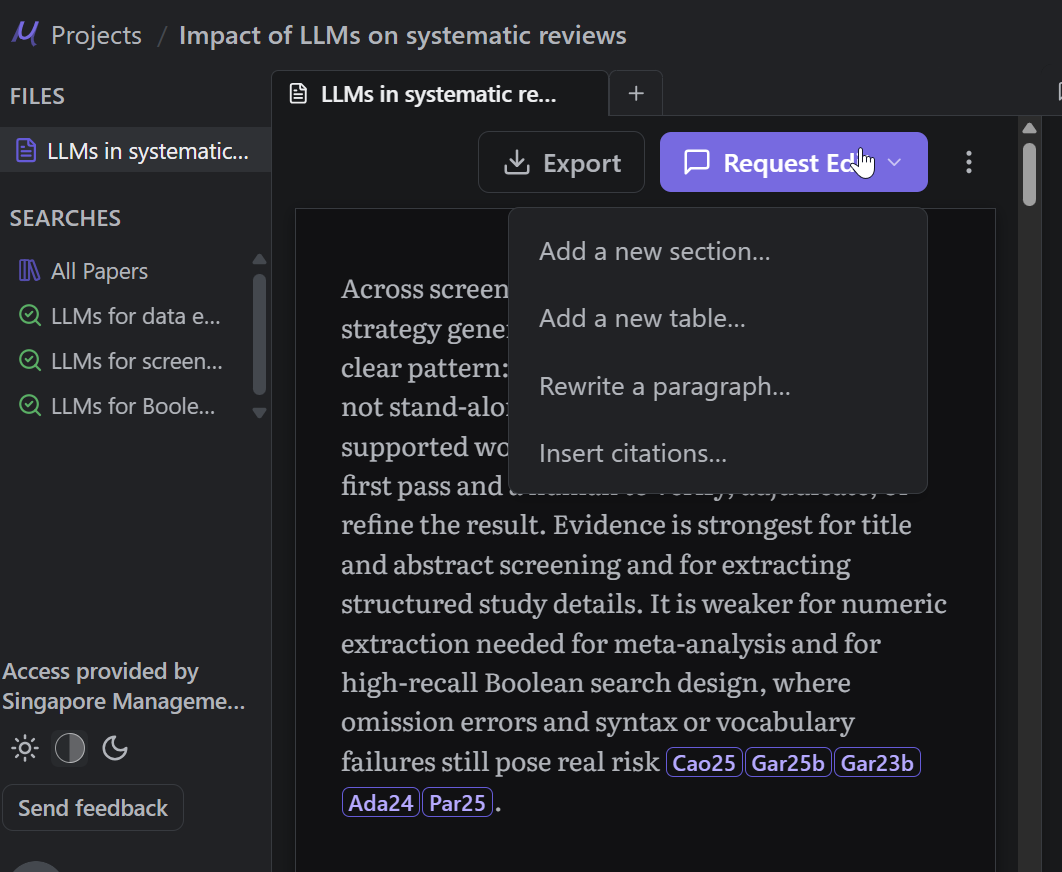
Once a report is generated, you can use the interface to further modify it — adding sections, restructuring content, or refining the narrative. Reports and search summaries can also be referenced directly by the agents. For example:
"I want to add a new section to 'LLMs in Systematic Reviews — Key Takeaways'. The section should include seminal papers."
You can even instruct an agent to generate a new report following the headings or formatting structure of an existing one, making it easy to maintain consistency across reports in the same project.
Tip #6 — Set up a project and collaborate with your team
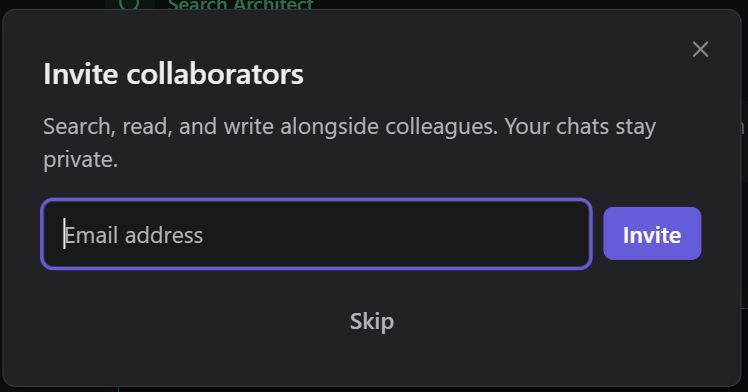
As the name suggests, Undermind Projects is designed with collaboration in mind. You can set up a shared project workspace and invite collaborators to contribute searches, review reports, and build a shared library together — making it well-suited for multi-researcher literature review teams.
Conclusion
Undermind Projects is a very new and interesting step forward for Undermind. However it is still very new and will have teething issues. Have you used Undermind Projects yet? What do you like or don’t like about it compared to the classic version?
Undermind Projects represents a meaningful step forward for Undermind — bringing greater flexibility, parallelism, and collaborative capability to what was already one of the most powerful academic deep research tools available. As with any new platform, there will be early-stage limitations to work through, and the feature set will continue to evolve.
That said, it is worth being candid about what you give up when moving from Classic to Projects. The most notable trade-off is the loss of the "shoot and forget" simplicity that made Classic Undermind so immediately compelling. In Classic, getting a rich, well-structured report required only a few clicks — type your query, answer a couple of clarifying questions, and walk away. Minutes later, a comprehensive report with everything from categories of papers, timeline, seminal papers, was waiting for you. No decisions about which agent to use, no managing multiple tabs, no thinking about sub-topics or paper key IDs.
Undermind Projects, by contrast, rewards users who are willing to invest more time and thought upfront. The multi-agent, multi-search workflow is genuinely more powerful — but it is also more complex. For researchers who simply want a quick, reliable literature overview without much configuration, Classic remains the better choice, and it is reassuring that it is still accessible via the sidebar.
Have you tried Undermind Projects yet? We would love to hear what you think — what works well for your workflow, and what you feel still needs improvement compared to the Classic version.